
The short answer
A DTF transfer that peels, cracks or washes off is almost never a bad transfer. It is almost always the application: not enough heat, time or pressure at the press, the film peeled at the wrong moment, the powder never fully cured, or the shirt washed too soon. Fix the step that failed and the same transfer, pressed properly, usually holds.
Peeling and cracking are two different failures with different causes, so start by working out which one you have.
- Peeling is the glue letting go. The print lifts off the fabric, often starting at the edges or fine lettering. The bond never formed properly.
- Cracking is the print layer itself splitting. The print is stuck to the shirt, but the ink layer is too stiff to flex with the fabric, so it breaks into lines after washing or stretching.
Keep them apart, because the fixes are different.
Why is my DTF transfer peeling right after pressing?
If the design comes up with the film when you peel, or lifts off the shirt within minutes, the bond never formed. Work through these in order:
1. Not enough heat, time or pressure. This is the most common cause. A press that reads 320°F on the display can be 10–20°F cooler on the platen, and a light press leaves the edges untouched while the middle bonds. Use firm, even pressure, and check the real platen temperature with an infrared thermometer if you can. A common working range for DTF transfers is 300–320°F (150–160°C) for 10–15 seconds at medium to firm pressure — but follow your film and powder supplier’s settings first, because films differ.
2. You skipped the pre-press. A shirt straight off the shelf holds moisture and wrinkles. Press the bare garment for 3–5 seconds first to drive the moisture out and flatten the area. A damp shirt is one of the quietest causes of a failed bond: the moisture stops the adhesive powder from gripping the fibres.
3. You peeled at the wrong time. Hot-peel film is peeled while the transfer is still warm; cold-peel film must cool completely first — cool to the touch, about a minute. Peel a cold-peel film hot and the design lifts with it. If a design starts lifting mid-peel, stop, lay the film back down, re-press at full settings, let it cool, and try again from a different corner, peeling low and slow.
4. The fabric itself. DTF bonds to cotton, polyester and blends. It does not bond well to water-repellent or silicone-coated fabrics, or to a garment with a heavy softener finish. A drop of water on the fabric tells you a lot: if it beads up instead of soaking in, the finish is fighting the adhesive.
Why is my DTF peeling or cracking after washing?
A print that looks perfect on day one and lifts in the wash was under-cured: the adhesive melted enough to look stuck, but never flowed fully into the fibres.
Under-cured powder. The powder has to melt completely and turn from white and grainy to a smooth, glossy layer before pressing. If you can still see dry, sandy grains on the cured film, it did not get enough heat. If the film looks scorched or the powder went hard and brittle, it got too much. Cure until the powder is evenly melted — on a shaker/dryer that means the right temperature and dwell time, not a guess.
No second press. This is the single most skipped step, and it solves most wash failures. After you peel the film, cover the design with parchment paper and press again for 5–10 seconds. That second press pushes the adhesive deeper into the fibres and takes the shine off the print. Transfers that get a second press last far longer in the wash than ones that do not — one supplier guide reports single-pressed transfers starting to peel after a few washes, while properly second-pressed transfers hold up for 100+ wash cycles. Treat that figure as that supplier’s claim, not a guarantee — but the step itself is standard practice across every DTF guide we found.
Washed too soon. The bond keeps setting after the shirt comes off the press. Wait 24 hours before the first wash, then wash inside out in cold or warm water, no bleach, tumble dry low or hang dry, and never iron directly on the print. A surprising number of peeling complaints come from the wash, not the press — so send the care steps with every shirt you sell.
Why is my DTF print cracking?
Cracking means the print layer is stiffer than the garment. The usual causes:
- Too much white ink. A heavy white underbase makes a thick, rigid layer that cannot flex with a stretchy shirt. In your RIP software, white density around 80% is a common starting point for dark shirts — lower it for light ones.
- Over-cured powder. Powder that was baked too long goes hard and brittle instead of flexible.
- Solid blocks on stretch fabric. A big solid rectangle of print on a stretchy performance shirt will crack where the fabric moves and the print does not. Smaller designs, and designs with broken-up artwork, flex better.
- Hot washing and drying. Hot water, bleach and a hot dryer age a print fast. The care steps above matter here too.
If the print is cracking but not lifting, the bond is fine — the layer is the problem. Reduce the white ink, check your cure, and wash cold.
How to find the cause on your own failed shirt
Before you change a setting, answer three questions from the failed garment, and keep an unwashed shirt from the same batch as a control:
- When did it fail? At the peel — the transfer never bonded, or the film let go at the wrong moment. In the first wash or two — the bond was weak from the start, usually curing, pressing or the fabric. After many washes — the print bonded but was too stiff, or the care was harsh.
- Where did it start? Edges and lettering point to pressure or seams. Fine lines and small text point to line width, powder grade or missing white. The whole print points to curing, powder coverage or the fabric.
- Was the defect there before the shirt? If the cured film already looked grainy, blotchy or patchy, the problem is in printing, powdering or curing. If the film looked fine and it failed at the press, check press settings and peel timing.
Change one thing at a time. If you change the temperature, the pressure and the powder all at once, you will never know which one fixed it.
If you buy transfers and only press in-store
Most small shops we visit do not print in-house at all — they order transfers from a supplier and press the shirts in their own store. If that is you, the good news is that most peeling problems are still in your hands: the press temperature, the pressure, the peel timing, the second press and the wash are all yours, and they cause most failures.
The printing-side causes — powder coverage, curing, white ink — belong to your supplier. So if the same press and settings work fine with one supplier’s transfers and keep failing with another’s, the transfer is the problem, not your technique. Change supplier before you change your press.
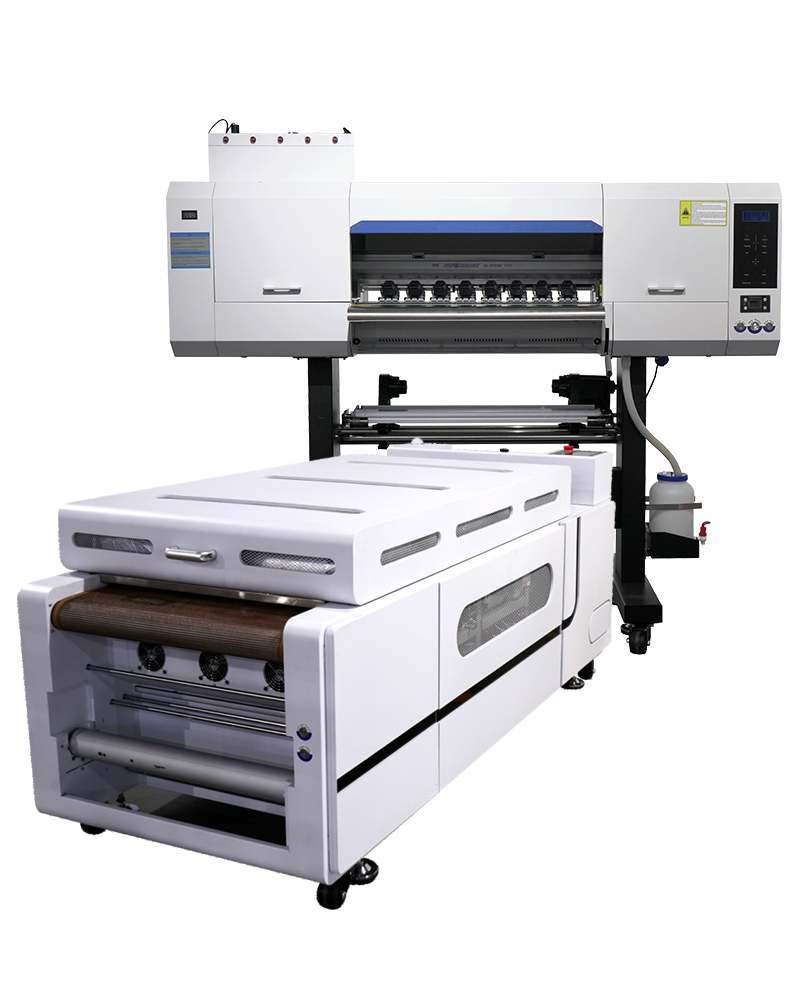
The other option is to bring the printing in-house. Then you control every step — the film, the powder, the cure — instead of guessing what your supplier did. The EQ400-A is $16,008, or $25,708.50 with the DY700-A powder shaker, and that control is the real reason shops buy it: not just to save money per shirt, but to stop wondering whether a failed print was their fault or their supplier’s.
What DPI Shop supplies have to do with this
The answer above works with any decent supplies — but the supplies do matter, and this is where they fit:
- Film. A good hot-peel PET film releases cleanly and evenly. DPI Shop’s DTF Instant Hot Peel Film (23.6″ x 328′) is $92.22 a roll. Cheap film that warps, holds static or releases unevenly will make you blame your press for a film problem.
- Powder. Even, fine adhesive powder is what bonds the ink to the fibres. DPI Shop’s DTF powder is $14.36 for 1 kg. Apply it evenly over wet ink, shake off the excess, and cure it until it melts smooth — too little powder lifts at the edges, too much leaves lumps that never cure through.
- Ink. Low-grade ink with oversized pigment can clog and print unevenly, which shows up as patchy adhesion. DPI Shop’s high performance DTF ink is $34.80 a litre, white and CMYK.
- Curing and pressing. An automatic powder shaker and dryer cures evenly across the whole sheet, which is hard to do by hand. The DY700-A powder shaker and oven dryer is $9,961.50 on its own, or $25,708.50 as the EQ400-A + DY700-A bundle (the printer alone is $16,008). For pressing, the HP100-S double-station heat press is $3,349.50 — even pressure across the platen is what keeps edges from lifting.
If your prints from one supplier keep peeling while the same press and settings work fine with another supplier’s transfers, the transfer is the likely problem, not your technique.
Frequently asked questions
Can I re-press a transfer that did not stick?
Often, yes. Lay parchment paper over the print and press again at full settings for 8–10 seconds, let it cool, and check the edges. If it lifts again after that, the adhesive is spent and that print cannot be saved — fix the cause before the next run.
My transfer peeled, but only at the edges. What is wrong?
Almost always light or uneven pressure. The middle bonded while the outline never got full contact. Increase to firm pressure, use a pressing pillow so the print area sits flat and level, and always do the second press.
How long should I wait before washing a DTF shirt?
24 hours before the first wash. Then wash inside out, cold or warm water, no bleach, tumble dry low or hang dry.
Does DTF wash off eventually?
A properly pressed DTF print is durable — supplier guides report 50 or more washes for a good print — but hot washing, bleach and hot drying shorten its life. Treat those wash figures as supplier claims, not guarantees; your own wash test on a sample shirt is the honest answer for your supplies and settings.
Can I see a sample before I buy?
Yes. Contact DPI Shop at info@dpishop.com or (469) 515-1760 and ask for a free sample print on the EQ400-A using your own design — about a 10-minute demo, no pressure to buy. The fastest way to judge a transfer is to hold it, press it and wash it yourself.
Contact: DPI Shop, Plainsboro, NJ. info@dpishop.com | (469) 515-1760 | dpishop.com

